
I usually use rclip – a command-line semantic image search tool I built – to find photos on my NAS. If you are new to it, check out my first rclip post.
Often I don’t know exactly which picture I need and am looking for one to fit a theme. My usual flow looks like this, over SSH:
- run
rclip "my search query"to find a photo; if I am not happy with the results, try a different query – often, multiple times - once I have found the image, copy its path and download it to my machine via
scp
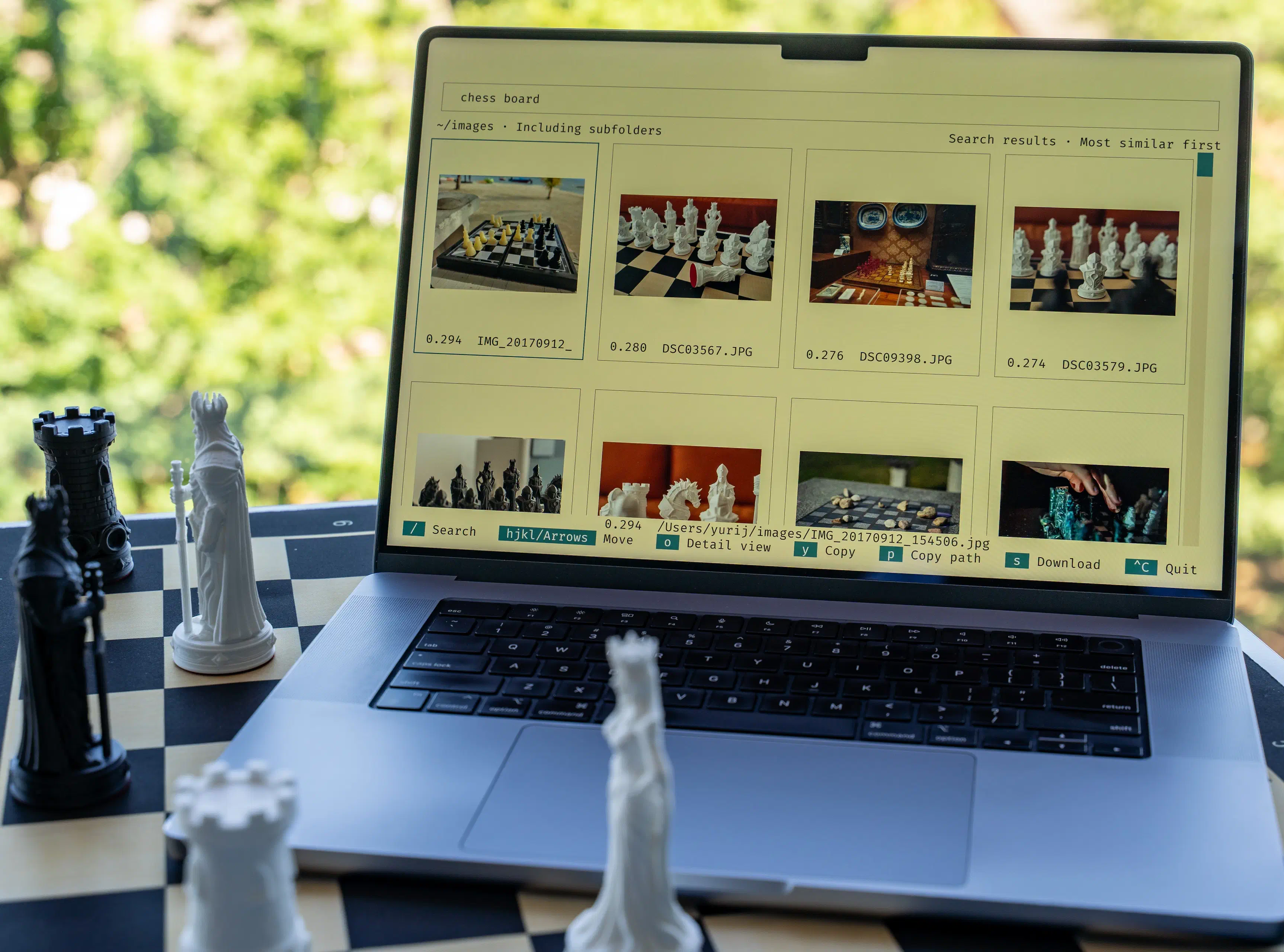
rclip 4 greatly improves this flow by allowing me to iterate faster while seeing the results in a gallery view, and by letting me download an image with a single key press.

The new flow, demoed above, is:
- start the rclip terminal UI with
rclip -i - iterate on the search query until I see what I am looking for in the gallery without leaving the TUI – the gallery first renders results as a preview grid, while letting me switch to the detail view to see the image in a larger size
- once I have found the image, press
sto download it to my machine; alternatively, I can copy the image itself withy
I can now find what I am looking for with a much more pleasant UX, without
waiting for the model to load on every query. And I don’t need scp to
fetch my images anymore.
To ensure a great TUI user experience, I have improved search. On my M1 Max,
both the TUI and a regular rclip "query" search now use about 0.4 GiB of
peak memory regardless of the library size, down from 0.87 GiB on a
100k-image library and from 7.9 GiB on a 1.28M-image one (ImageNet) in
rclip 3. Tools like htop show more during searches on large libraries:
their RES also counts the memory-mapped index, which the OS can reclaim at any
time.
The TUI has a few limitations:
- the new TUI only supports text queries at the moment
- the TUI requires a terminal compatible with the Kitty graphics protocol with Unicode placeholders, such as Kitty, Ghostty, and iTerm2 3.5+
The “download” and “copy image” features only work in the Kitty terminal and
need the kitten executable on the machine running rclip. Connecting with
kitten ssh provides kitten on the remote machine. If you are using a
different terminal, you can use p to copy the image path and download the
image with scp in a second terminal tab.
If you want to try the new UI, install the latest rclip and let me know what you think.